Enhanced version of Office including Outlook
Office Home & Business 2013 is an enhanced version of the standard version of Microsoft Office as it includes Outlook 2013, OneDrive cloud integration and a license to install on just one PC.
Top Recommended Alternative
Suitable for Home users with small Business needs
This program can no longer be downloaded. Take a look at Office Home and Business 2016.
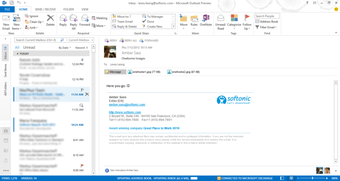
Office Home & Business 2013 includes the standard packages Word, Excel, PowerPoint and OneNote but also includes email client and organizational tool Outlook. Unlike the Premium version, it only entitles you to install Office 2013 on one PC.
Of course, Office Home & Business 2013 includes everything you get in the Home and Student version of Office, plus 7 GB of free online storage with Microsoft OneDrive. Word, Excel, PowerPoint and OneNote are more than enough to meet the needs of those that need to complete school or university assignments and the requirements of the average home user but Outlook is useful for those with small business needs- However, Publisher and Access are not included.
Known uses, new features
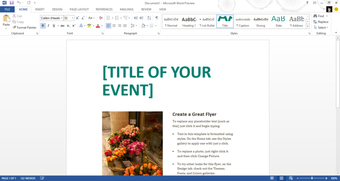
With the new touch-optimized reading mode in Word 2013, you can skim through documents using a finger swipe. Making changes to documents has had a huge overhaul, and expanded to make editing documents easier. Microsoft Office Home Premium 2013 also edits PDFs without the need for additional software, which makes it a direct competitor of Adobe Acrobat.
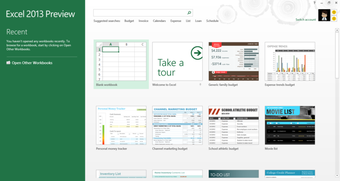
In Excel 2013, the new Flash Fill function automatically fills out a range of selected cells. Excel analyzes the entire table, detects relations between cells, and suggests a value or text. Excel also makes it easier to create pivot tables and graphics by generating suggestions in a similar fashion. The new Quick Analysis feature in Office Home & Business 2013 lets you preview certain formatting options in the spreadsheet itself.
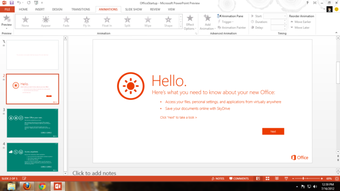
PowerPoint 2013 splits the presenter mode into two different views for the audience and the presenter. Besides the presentation itself, you can also see a bullet list and more details on the presenter screen. On Tablets, you can switch between slides using finger gestures, paint with a stylus for a lecture on film, or use a virtual laser pointer.
Touch-optimized use and minimalist design à la Windows 8
When you use Office Home & Business 2013, you'll realize that there have been some changes. The famous ribbon bar is expanded only when necessary and it's optimized for finger operation on touch screens. In addition to images, you can embed videos via HTML code in Office Home & Business 2013. All of the applications come with new touch-optimized viewing modes.
Office Home & Business 2013 uses the same minimalist tile design as Windows 8, and everything seems to mold together well. Large, cleanly arranged icons are there for the most important functions, while new templates provide visually appealing spreadsheets and presentations.
Conclusion: improved all-round Office Suite
Office Home & Business 2013 comes with many useful functions, which lets it be selectively used on touch screen devices. Unfortunately, the Office Suite is anything but tablet-friendly. Many selection elements and options are too small for untrained fingers.
Other features of Office Home & Business 2013 are, however, far more convincing: the PDF editor offers greatly improved options for collaborative editing, there is cloud integration with Skydrive, and extras such as embedding YouTube videos, are great innovations.